keep us in your back pocket
Add Overalls to your Phone
Your Overalls account is designed to work beautifully on desktop or any mobile device! To use Overalls just like any other phone app, create a shortcut using the instructions below. Questions or feedback? Drop us a line at help@getoveralls.com.
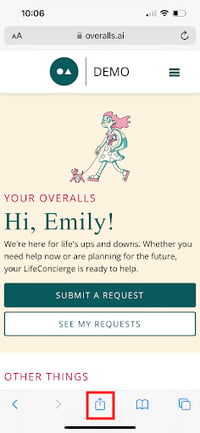
Add to iPhone
- Visit your Overalls account at overalls.ai
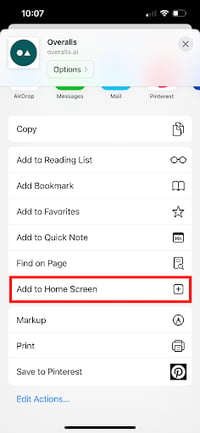
- Tap the iPhone share button
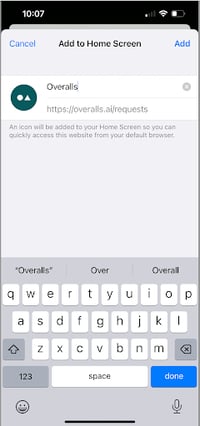
- Scroll down and click Add to Home Screen
- You'll see the Overalls icon!


Add to Android
- Visit your Overalls account at overalls.ai
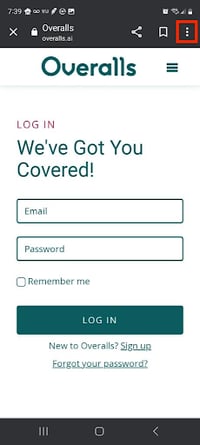
- Tap the three-dot menu in the top right corner
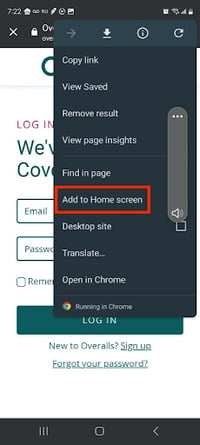
- Click Add to Home Screen
- You'll see the Overalls icon!